Appearance
Setup your Localizer
Define your localizer
- Go to your class with a
static{}block, where you will be changing your FollowerConstants (In the Quickstart, this class is calledFConstants). - Once there, type this, where [LOCALIZER] is your localizer of choice:
java
FollowerConstants.localizers = Localizers.[LOCALIZER];- The default is THREE_WHEEL, you will not have to do this step if you are using three wheel, as it is the default.
Define your motor names and directions
- Navigate to
FConstantsand into thestatic{}block - Modify your hardware map names for your motors and the directions of your motors. The defaults are:
java
FollowerConstants.leftFrontMotorName = "leftFront";
FollowerConstants.leftRearMotorName = "leftRear";
FollowerConstants.rightFrontMotorName = "rightFront";
FollowerConstants.rightRearMotorName = "rightRear";

FollowerConstants.leftFrontMotorDirection = DcMotorSimple.Direction.REVERSE;
FollowerConstants.leftRearMotorDirection = DcMotorSimple.Direction.REVERSE;
FollowerConstants.rightFrontMotorDirection = DcMotorSimple.Direction.FORWARD;
FollowerConstants.rightRearMotorDirection = DcMotorSimple.Direction.FORWARD;
Robot Coordinate Grid
Use this diagram to find the offset of your localizer. This view is from the top of the robot looking downwards 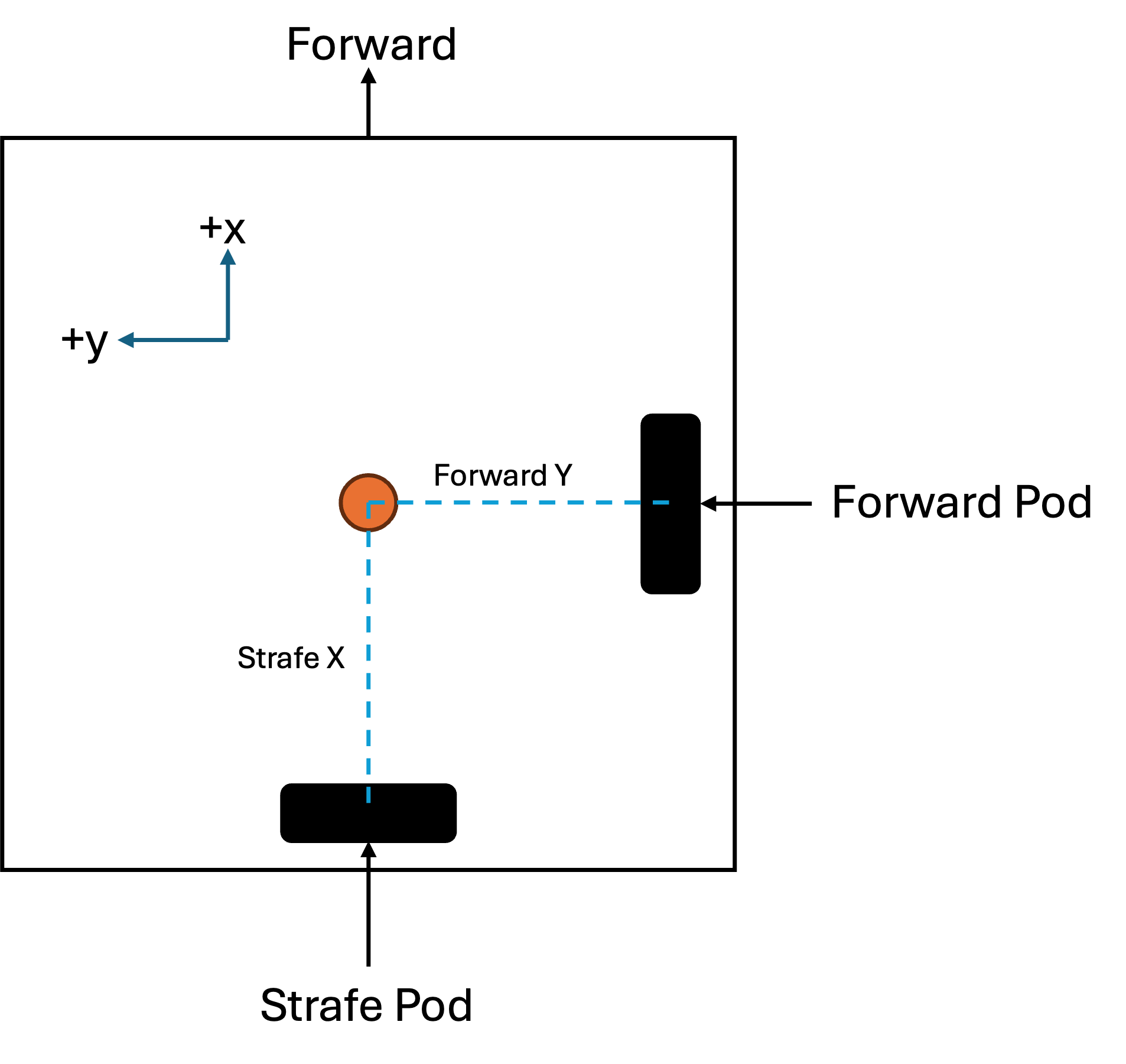
Access
To begin setting up your localizer, go to your class with a static{} block, where you will be changing your Localizer's constants (In the Quickstart, this class is called LConstants).
From there, continue the steps for your localizer in the linked pages: